
小程序刚刚出来,现在网上的demo是多,但是要找到一个自己需要的却不容易。今天跟大家分享自己写的一个弹幕功能。
先来一张效果图:
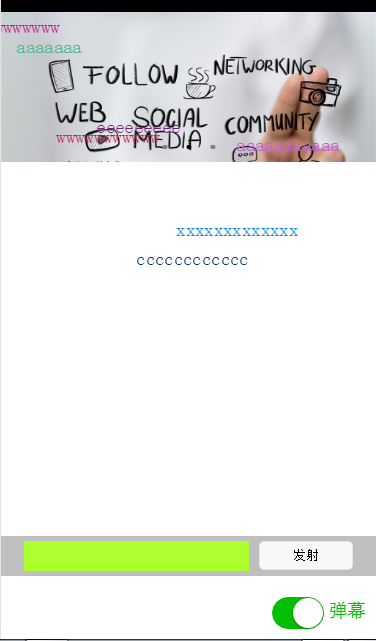
我的思路是这样的,先用标签确定是否打开弹幕,若打开弹幕则出现弹幕文本框和发射按钮,还有弹幕遮罩层。
先贴wxml和wxss代码。
wxml代码如下:
弹幕发射{{item.barrage_shootText}}
wxss代码如下:
/* pages/index/index.wxss */.slide-image{ width: 100%;}/* 弹幕选择按钮的操作*/.barrage-Switch{ position: absolute; bottom: 10px; right: 10px; z-index: 2;}/* 弹幕输入框的操作*/.barrage-inputText{ position: absolute; display: flex; background-color: #BFBFBF; width: 100%; height: 40px; flex-direction: row; nav-index: 2; justify-content: center; align-items: center; bottom: 10%;}.barrage-input{ background-color: greenyellow; width: 60%; height: 30px;}.barrage-shoot{ margin-left: 10px; width: 25%; height: 30px;}.shoot{ width: 100%; color: black;}/*弹幕飞飞飞*/.barrage-fly{ z-index: 3; height: 80%; width: 100%; position: absolute; top: 0;}.barrage-textFly{ position: absolute;}
这样基本的样式就都实现了。接下来要对弹幕上的字进行处理。
文字是从右往左移动,文字出现的位置top是随机,left则是取屏幕的宽度。移动的时候是用定时器进行处理。
还有就是字体的颜色是随机出现的。这些功能都是利用js处理的。